

How Much Does a Smart Home Setup Cost in 2026?
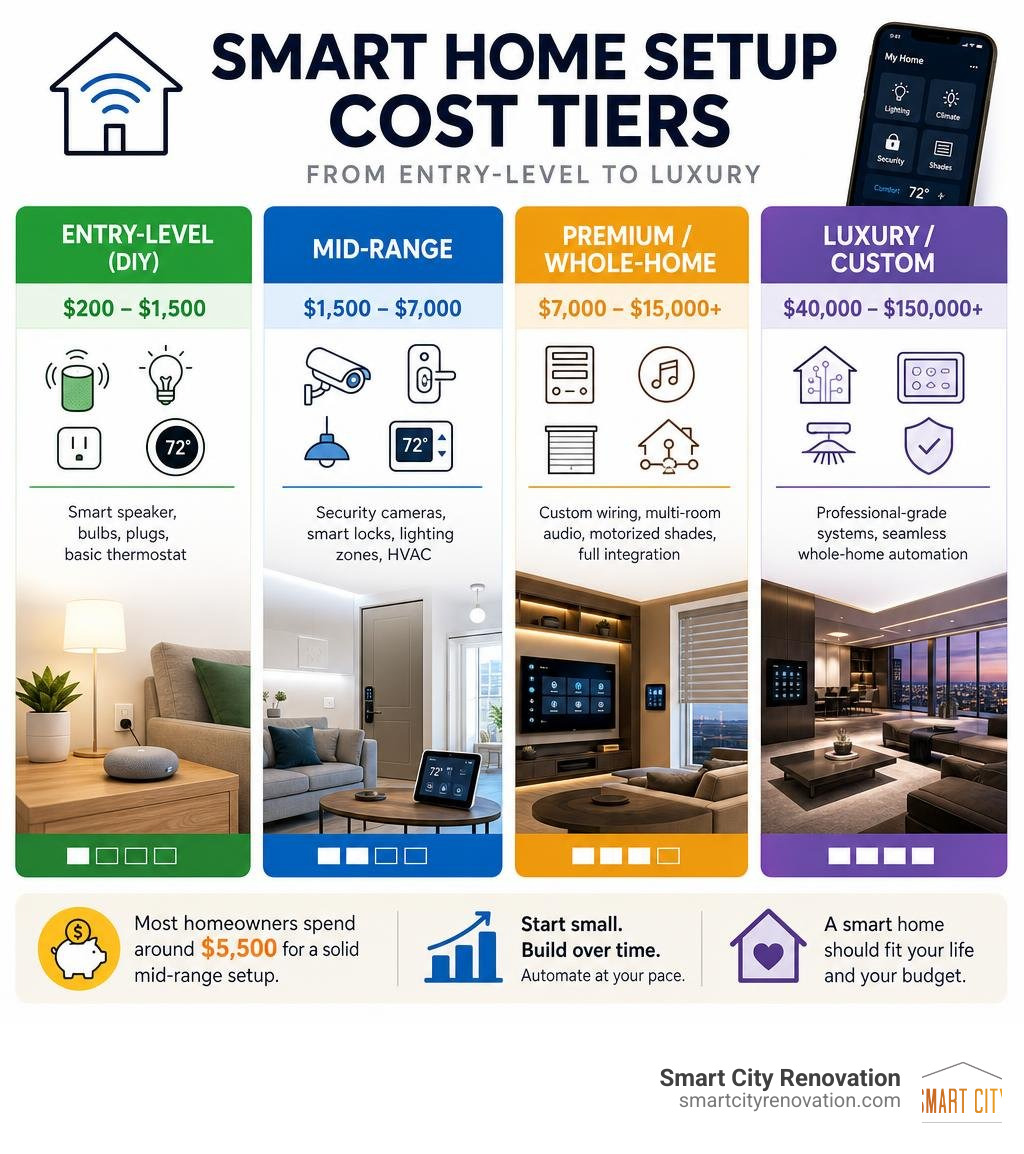
Smart home setup cost ranges widely depending on how much automation you want and how big your home is. Here’s a quick snapshot so you can find your budget tier fast:
| Setup Level | Typical Cost Range | What’s Included |
|---|---|---|
| Entry-Level (DIY) | $200 – $1,500 | Smart speaker, bulbs, plugs, basic thermostat |
| Mid-Range | $1,500 – $7,000 | Security cameras, smart locks, lighting zones, HVAC |
| Premium / Whole-Home | $7,000 – $15,000+ | Custom wiring, multi-room audio, motorized shades, full integration |
| Luxury / Custom | $40,000 – $150,000+ | Professional-grade systems (Control4, Crestron, Lutron) |
Most homeowners spend around $5,500 for a solid mid-range setup. A basic starter system can run as little as $200, while full professional automation easily climbs past $10,000.
The wide range can feel overwhelming — especially when you’re already juggling a busy schedule, managing a renovation budget, and trying to coordinate multiple contractors. The good news? You don’t have to automate everything at once. Most homeowners start small and build over time.
I’m Norbert, a general contractor with 25 years of Chicago-land construction and remodeling experience, and I’ve helped many homeowners think through smart home setup cost as part of larger kitchen, bathroom, and basement renovation projects. In the sections below, I’ll break down exactly what drives these costs and how to plan a system that fits your budget and your home.
Average Smart Home Setup Cost Breakdown
When planning your automation budget, it helps to look at the numbers through realistic tiers. Depending on whether you want a few voice-controlled gadgets or a fully automated estate, your overall investment will scale accordingly. To understand the baseline, check out the comprehensive pricing insights in the How Much Does Smart Home Setup Cost? (2026 Guide) | CostWhale resource, which tracks national and regional installation trends.
In the Chicagoland area—whether you are updating a classic mid-century ranch in Mount Prospect, a historic home in Park Ridge, or a modern build in Glenview—these tier-based systems break down into very distinct pricing and feature sets.
Entry-Level Smart Home Setup Cost
An entry-level system is almost always a DIY endeavor. If you are dipping your toes into smart technology, you can expect to spend between $150 and $1,500.
At this price point, you are primarily purchasing standalone, plug-and-play devices that connect directly to your home’s Wi-Fi network. The core of this setup is a smart speaker or display (such as an Amazon Echo or Google Nest Hub), which costs between $40 and $250. From there, you can add:
- Smart bulbs and plugs: Individually priced between $10 and $30 each.
- A basic smart thermostat: Typically running $100 to $250.
- A simple video doorbell: Ranging from $100 to $200.
These systems are highly functional for single rooms or small apartments, but they rely heavily on your existing Wi-Fi router. If you add too many devices, you will likely experience network lag.
Mid-Range Smart Home Setup Cost
For a true whole-house experience, most homeowners step up to a mid-range system, which typically ranges from $1,500 to $7,000. The majority of homeowners find their “sweet spot” here, spending an average of $5,500 to automate a standard three- to four-bedroom home.
At this level, you transition from isolated gadgets to a more unified ecosystem. This setup often includes:
- Multi-zone smart lighting: Replacing wall switches with smart dimmers ($30 to $80 per switch) rather than just changing bulbs.
- Comprehensive security: Multiple outdoor smart cameras ($150 to $350 each), door/window sensors, and a smart lock ($150 to $400).
- Advanced climate control: Smart thermostats integrated with smart vents or multi-stage HVAC systems.
- Dedicated network upgrades: A robust mesh Wi-Fi system ($300 to $800) to handle the 30 to 50 connected devices without bottlenecking.
While some tech-savvy homeowners DIY this tier, many choose to hire professionals for clean wall mounting, switch wiring, and system programming.
Premium Custom Automation Systems
For those building a new home or undertaking a major studs-out remodel in communities like Northbrook or Arlington Heights, premium custom automation is the gold standard. These systems start at $7,000 and can easily exceed $15,000 to $50,000+ for luxury properties.
Premium systems rely on dedicated, professional-grade platforms like Control4, Crestron, or Lutron HomeWorks. Rather than relying on standard Wi-Fi, these installations feature:
- Custom low-voltage wiring: Hardwired Cat6/Cat6a lines run to every camera, access point, and media center.
- Motorized window shades: Costing $300 to $1,000+ per window, programmed to open and close based on the sun’s position.
- Multi-room architectural audio: In-ceiling speakers powered by centralized amplifiers.
- Centralized lighting panels: Replacing cluttered banks of wall switches with clean, programmable keypads.
These systems are entirely custom-designed and must be installed by certified integrators who program personalized “scenes” (e.g., a “Goodnight” button that locks all doors, turns off all lights, sets the alarm, and adjusts the temperature simultaneously).
Key Factors That Influence Your Automation Budget
No two smart homes are identical, and several hidden variables can dramatically shift your bottom-line costs. Understanding these variables before you buy equipment will save you thousands of dollars in retrofitting fees.

To get a sense of how foundational decisions impact your overall project budget, you can read the comprehensive Smart Home Wiring Cost 2026 | Automation & Setup Guide to understand the structural expenses of home network preparation.
Wired vs. Wireless vs. Hybrid Infrastructure
The physical way your devices communicate is the single biggest cost driver for whole-home setups.
- Wireless Systems: These utilize protocols like Wi-Fi, Z-Wave, and Zigbee. They are highly affordable and perfect for retrofitting older homes because they require no wall cutting. However, they are susceptible to wireless interference, and battery-powered sensors will require regular maintenance.
- Wired Systems: Running physical ethernet cables (Cat6 or Cat6a) directly to key devices is the most reliable option. Wired connections offer zero latency, maximum security, and cannot be disrupted by thick plaster walls (a common issue in vintage homes in Oak Park or Park Ridge). Pre-wiring a home during new construction or a major remodel costs about 30% to 50% less than trying to fish wires through finished drywall later.
- Hybrid Systems: This approach combines a wired backbone (for high-bandwidth devices like 4K security cameras and Wi-Fi access points) with wireless protocols (for low-bandwidth devices like smart plugs and light sensors). This is often the most cost-effective way to achieve rock-solid reliability without breaking the bank on labor.
Room-by-Room Automation Costs
Automation costs scale based on the specific rooms you choose to upgrade:
- The Kitchen ($1,000 – $7,000+): This is often the most expensive room to automate due to smart appliances. A smart refrigerator can run anywhere from $2,000 to $5,000, while smart ovens and range hoods add convenience but carry premium price tags.
- The Living Room ($500 – $3,500): Focuses heavily on entertainment and comfort. This includes a smart TV, integrated soundbar or surround sound, smart dimmers, and automated window blinds.
- The Smart Bathroom ($1,500 – $5,000+): A rapidly growing trend in modern remodeling. Features include moisture-sensing exhaust fans (which turn on automatically to prevent mold), smart mirrors with integrated lighting and displays ($350 to $1,250), and high-end smart toilets ($600 to $2,700) with heated seats and automatic flushing.
- The Master Bedroom ($500 – $2,500): Centered around sleep optimization. It often features smart thermostats, circadian rhythm lighting that mimics natural sunlight, and smart mattress pads or sleep trackers.
Professional Installation vs. DIY Setup
Should you roll up your sleeves and spend your weekend programming smart switches, or should you call in an expert? The answer depends entirely on your technical comfort level and the complexity of the system you want.
To compare current professional rates and understand what to expect, refer to the Smart Home Installation Cost: Complete 2026 Pricing Guide | LocalBizzInfo for a detailed breakdown of labor rates and installation standards.
The True Cost of DIY Mistakes
While DIY installation saves you upfront labor costs, it is not always free. Many homeowners run into unexpected roadblocks:
- The DIY Fix-It Tax: Statistics show that DIY smart home mistakes cost an average of $188 to correct. This often involves buying the wrong type of switch, stripping wires, or purchasing devices that are incompatible with each other.
- Network Congestion: Adding 30+ Wi-Fi-based smart bulbs directly to a standard internet router will often cause your home network to crash, leading to dropped video calls and unresponsive smart devices. Resolving this usually requires buying expensive network hubs or mesh routers after the fact.
- The Time Investment: Configuring multiple apps, setting up voice assistants, and troubleshooting offline devices can easily consume 20 to 40 hours of your personal time.

When to Hire a Licensed Professional
Some smart home upgrades simply should not be DIYed. You should always hire a licensed professional for:
- Line-Voltage Electrical Work: Installing smart light switches, smart outlets, or smart electrical panels requires working with your home’s high-voltage wiring. In many Chicagoland municipalities (like Des Plaines, Skokie, or Niles), local building codes require a licensed electrician to perform this work. Furthermore, older homes built before the 1980s often lack a “neutral wire” behind wall switches, requiring creative wiring solutions or specialized hardware.
- HVAC Integration: Connecting a smart thermostat to a complex multi-stage heating and cooling system or a boiler can easily short-circuit your furnace control board if wired incorrectly.
- Low-Voltage Structured Wiring: Running clean Cat6 lines through walls, installing patch panels, and setting up a structured wiring cabinet in your basement is a craft that requires specialized tools and expertise to ensure maximum data speeds.
Long-Term ROI and Ongoing Smart Home Expenses
When calculating your smart home setup cost, it is vital to factor in the long-term financial picture. While the upfront investment can be substantial, the ongoing savings and property value boosts can help offset those initial numbers.
Hidden Recurring Costs to Anticipate
A smart home is not a “one-and-done” purchase. Homeowners should budget for several ongoing expenses:
- Subscription Fees: Many smart cameras and security systems require monthly cloud storage subscriptions to save video history, typically ranging from $3 to $10 per camera or $10 to $50 per month for whole-home professional monitoring.
- Hardware Replacement Cycles: Unlike traditional light switches or deadbolts that last for decades, smart devices are small computers. You can expect a typical lifespan of 3 to 7 years before hardware upgrades or software compatibility issues require you to replace older devices.
- Device Maintenance: Battery-powered wireless sensors, smart locks, and water alarms require fresh batteries every 1 to 2 years, which adds a small but recurring maintenance chore to your calendar.
Financial Benefits and Utility Savings
On the flip side, smart homes offer immediate financial returns that accumulate over time:
- Energy Efficiency: Installing an Energy Star-certified smart thermostat can reduce your heating and cooling bills by 10% to 15% annually, saving the average homeowner around $150 to $220 per year. In our cold northern Illinois winters and humid summers, these savings add up quickly.
- Preventative Protection: Smart water leak detectors ($50 to $150) placed near your water heater or washing machine can shut off your main water valve automatically if a leak is detected, saving you from devastating water damage repair costs.
- Insurance Discounts: Most major homeowners insurance providers offer premium discounts of 5% to 20% if you have a professionally monitored smart security system with smoke and water leak detection.
Frequently Asked Questions about Smart Home Costs
Do smart home systems increase property value?
Yes, but with a caveat. Modern home buyers—especially millennials and Gen Z—highly prize smart home features. Studies show that homes with smart technology can command a 3% to 5% premium in competitive real estate markets and often sell up to 20% faster than non-smart homes.
However, to maximize resale value, stick to mainstream, highly compatible platforms (like Apple HomeKit, Google Home, or Lutron). Highly customized, proprietary systems can sometimes intimidate buyers if they feel the system is too complicated to manage.
What happens to a smart home during an internet outage?
This depends entirely on how your system is designed.
- Cloud-Dependent Systems: If your devices rely strictly on the internet to communicate with a distant server (like many cheap Wi-Fi smart plugs), they will lose all smart functionality when your internet goes down. You will still be able to flip physical wall switches, but voice control and automation schedules will stop working.
- Local-Control Hubs: Systems built on local-processing hubs (like Hubitat, Home Assistant, or premium wired platforms) store all your automation rules locally. If your internet goes out, your smart lights, motion sensors, and pre-programmed schedules will continue to work perfectly. Only remote access from your phone and voice assistants will temporarily pause.
How can I reduce my overall smart home setup cost?
You don’t need to write a massive check on day one. Here are three practical ways to keep costs manageable:
- Phase Your Installation: Start with a strong foundation—like a great mesh Wi-Fi system and a smart thermostat. Once you are comfortable, add smart lighting to your main living areas, and expand to security cameras or smart appliances in later years.
- Choose Smart Switches Over Smart Bulbs: If a room has a chandelier with six bulbs, buying six smart bulbs can cost $120+ and they will stop working if someone flips the physical wall switch off. Installing a single smart wall switch ($40 to $60) automates all six traditional bulbs and keeps physical control functional.
- Buy Starter Bundles: Manufacturers frequently offer discounted kits that bundle smart hubs with switches, sensors, or cameras, saving you 15% to 25% compared to buying the components individually.
Conclusion
Building a smart home is one of the most exciting ways to inject modern comfort, security, and energy efficiency into your living space. Whether you are looking to start small with a few smart plugs or you are ready to design a fully integrated, hardwired automation system from the ground up, understanding your options and setting a realistic budget is the key to success.
If you are planning an upcoming home remodel or new build in the Chicagoland suburbs—from Arlington Heights and Park Ridge to Glenview and Schaumburg—we are here to help. At Smart City Renovation, we bring 25 years of local construction expertise to help you seamlessly integrate modern technology, structural wiring, and smart infrastructure directly into your home renovation projects.
Ready to bring your dream home to life? Explore our professional home renovation services and schedule a consultation with our team today!